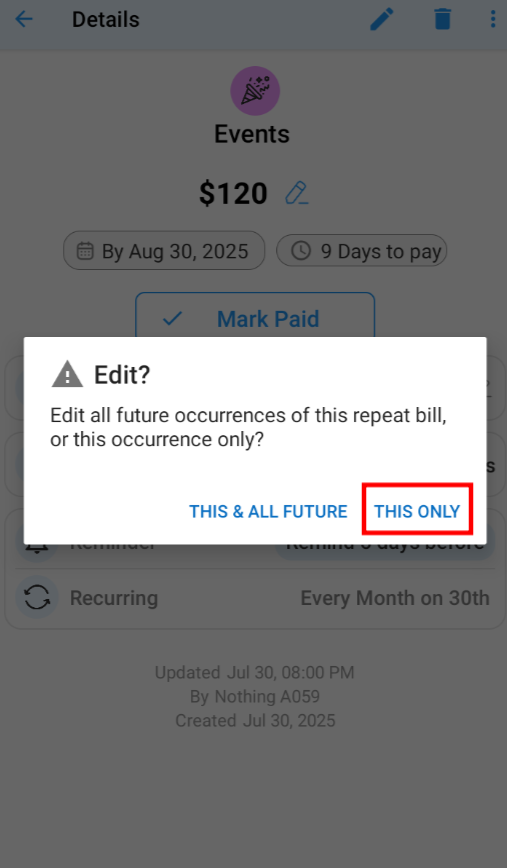
To edit a specific occurrence entry for a recurring bill:
- Go to Home >
- Select Upcoming tab
- Select the Specific Bill you want to edit to View Bill Details
- Click on Edit (Pen Icon) on bill detail screen
- Pop appears, select This Only/Edit This
● "This Only/Edit This" option will only Make Changes to Selected Occurrence and not to other occurrences - Make the necessary changes to the Selected
Specific Bill as per your requirements on edit screen - Tap the save icon (✓) to complete the process